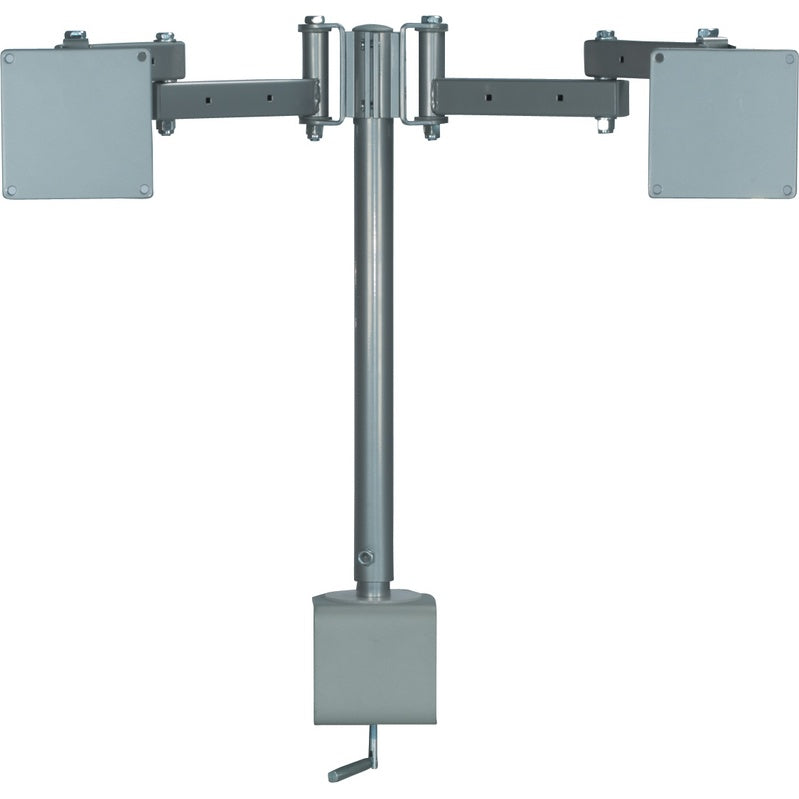
Universal Dual LCD Monitor Table/Desk Mount -LCD-DM2
SKU LCD-DM2
Tax & shipping calculated at checkout
Ships same or next business day
Couldn't load pickup availability
Talk to a mount expert
800-585-8795
30-day returns
Easy & no hassle
Built to last
Heavy-gauge metal
The VMP LCD-DM2 is a dual monitor desk mount that holds two flat panels side by side on a single telescoping pole. It is built from two LCD-1 articulating arms mounted to a shared steel mast, so each screen adjusts on its own. The pole clamps to a desk or table edge, or bolts through the surface, using the parts included.
- Holds two flat panel monitors side by side on one desk or table pole
- Includes two LCD-1 articulating arms, one per monitor
- Each arm fits 10 to 23 inch flat panels with 75 x 75 mm or 100 x 100 mm VESA hole patterns
- Each arm is UL listed to 25 lbs, for a 50 lbs total load capacity across the mount
- Each arm tilts from -5 to +20 degrees and articulates independently, rotating up to 240 degrees at the elbow and 240 degrees at the panel
- Telescoping mast adjusts display height from 18 to 24 inches
- Attaches as a clamp-on or bolt-through mount with the hardware provided
- Built primarily of tubular steel with nylon filled nuts and arc welds
- Clip based cable management keeps cords tidy behind each screen
- Silver powder coat finish
Product details
VESA mounting pattern
VESA is the spacing between the four bolt holes on the back of your TV. Screen sizes are a guideline - any TV whose bolt pattern fits this mount and whose weight is under the rating will work, even if the screen is larger. Enter what you measure below and we'll match it to the nearest standard size and check the fit.
shown to scale on a ~23" screen (16:9)
75-100 mm wide · 75-100 mm tall(3-3.9" wide · 3-3.9" tall)
Common standards within this hole range - not an exhaustive list.
Will my TV fit?
round to the nearest inch - close is fine, we'll match it to the standard size
enter your TV's spacing to check
How do I find my TV's pattern?
Find the four threaded holes on the back of your TV and measure between them - left-to-right and top-to-bottom, center to center. Round to the nearest inch. Or check your TV's manual, or search "[your model] VESA pattern".
Can't find it or not sure? Call us at 800-585-8795 or email sales@videomountstore.com - we can usually look up your TV's pattern faster than you can.
Documents