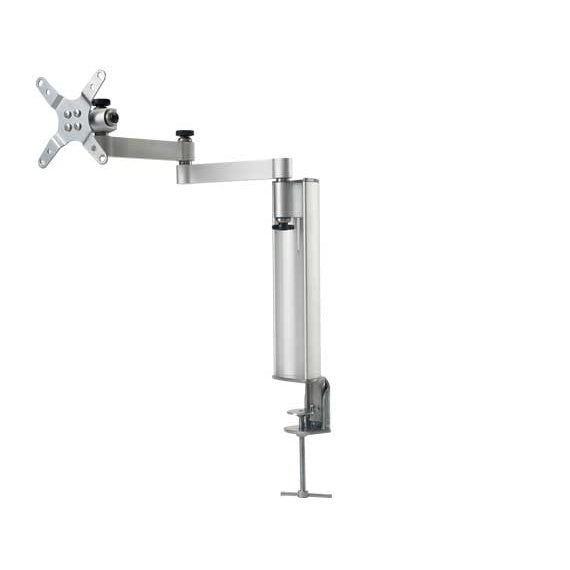
Sanus - SD115 for LCD Monitors / Desk Mount - tilt, swivel and extend
Tax & shipping calculated at checkout
Ships same or next business day
Couldn't load pickup availability
Talk to a mount expert
800-585-8795
30-day returns
Easy & no hassle
Built to last
Heavy-gauge metal

The VisionMount SD115 is a full-motion desk mount for small monitors up to 20 lbs. This innovative mount can be attached to the back edge or mounted inside the cable opening of desks up to 3" thick without the use of tools. Independent tensions in the arm and head allow for effortless adjustment, and an extension arm allows the TV to extend in all directions for easy viewing from nearly every angle. Sanus’ SmoothLock™ mechanism provides smooth, effortless tilt, swivel, pan and extend motions with the touch of a finger. Features include adjustable height and a wire management channel to keep cables concealed and organized. Solid extruded aluminum and heavy-gauge steel construction is available in black or silver. VESA 75 and 100 mounting patterns fit virtually any flat-panel monitor up to 24".
Durable Finish
Durable anodized finish complements today's AV gear
Versatile Mounting Options
Innovative clamp attaches to edge of desk or cable hole
VESA Compatible TV Bracket
Mounting brackets feature multiple VESA patterns
SmoothLock™ Technology
SmoothLock™ technology uses tapered bearings to provide smooth tilt and swivel motions without the use of tools
Hinged Extension Arm
Features a hinged arm for added range of motion
Wire Management Channel
Built-in wire management system protects and conceals cables
Product details
VESA mounting pattern
VESA is the spacing between the four bolt holes on the back of your TV. Screen sizes are a guideline - any TV whose bolt pattern fits this mount and whose weight is under the rating will work, even if the screen is larger. Enter what you measure below and we'll match it to the nearest standard size and check the fit.
shown to scale on a ~24" screen (16:9)
75-100 mm wide · 75-100 mm tall(3-3.9" wide · 3-3.9" tall)
Common standards within this hole range - not an exhaustive list.
Will my TV fit?
round to the nearest inch - close is fine, we'll match it to the standard size
enter your TV's spacing to check
How do I find my TV's pattern?
Find the four threaded holes on the back of your TV and measure between them - left-to-right and top-to-bottom, center to center. Round to the nearest inch. Or check your TV's manual, or search "[your model] VESA pattern".
Can't find it or not sure? Call us at 800-585-8795 or email sales@videomountstore.com - we can usually look up your TV's pattern faster than you can.
Documents